
Email campaign types
When creating an email campaign, you can choose between two campaign types: Marketing and Transactional. Selecting the correct type is important because it affects how the campaign is handled during activation and delivery.
Although both campaign types use the same email editor and campaign creation flow, they are intended for different communication purposes and follow different delivery rules.
Marketing emails
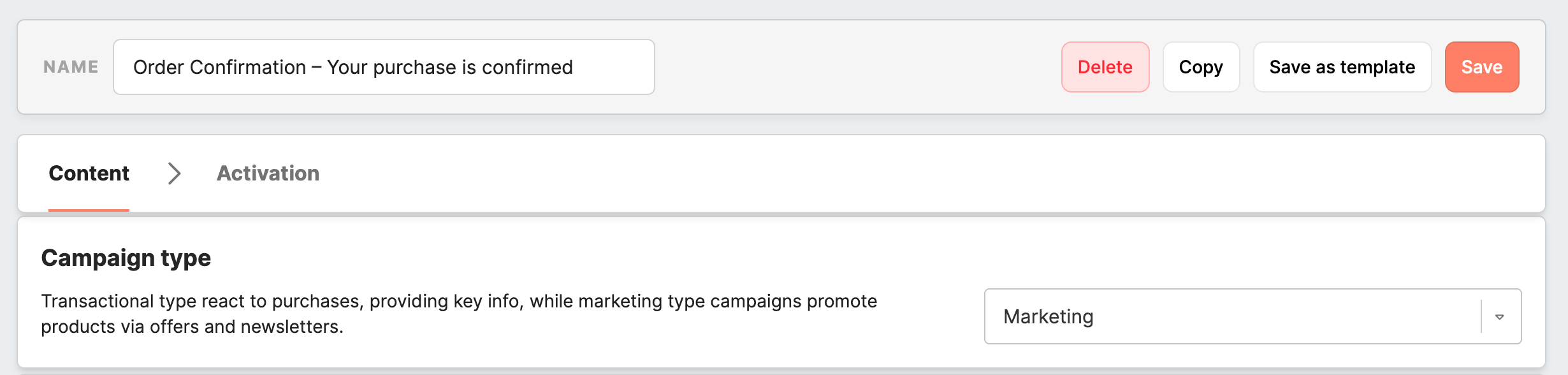
Marketing emails are designed for promotional and engagement-focused communication. Typical examples include newsletters, product updates, special offers, seasonal campaigns, event invitations, or any other communication intended to support marketing goals.
Use the Marketing type when the main purpose of the email is to promote content, encourage engagement, or drive conversions.
Marketing emails follow the standard rules configured for marketing communication in your workspace. This includes consent handling, unsubscribe requirements, and frequency cap processing. Because of this, marketing emails are best suited for regular customer communication where compliance and subscriber choice must be preserved.
In most cases, marketing emails should include the unsubscribe footer and one-click unsubscribe button so recipients can opt out of future promotional communication.
Transactional emails
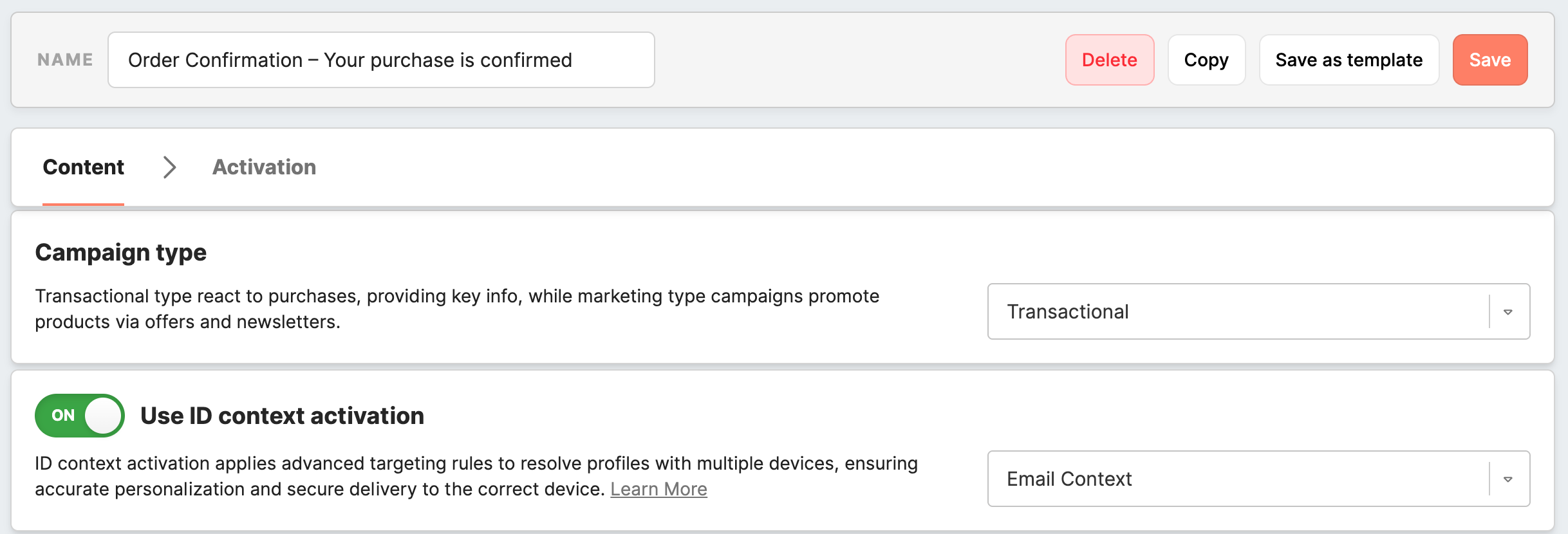
Transactional emails are designed for essential service-related communication. These messages provide important information that a recipient needs in relation to an action, request, or status update.
Typical examples include:
-
order confirmations
-
shipping notifications
-
password resets
-
booking confirmations
-
appointment reminders
-
account-related updates
Use the Transactional type when the main purpose of the email is to deliver important operational information rather than promotional content.
Transactional emails are treated differently from marketing emails during delivery. They are intended for critical communication and therefore do not follow all of the same rules as promotional campaigns.
Main differences between Marketing and Transactional emails
The most important difference is the purpose of the message.
- Marketing emails are promotional and engagement-driven.
Transactional emails are operational and information-driven.
This distinction affects several areas of campaign behavior.
1. Consent handling
Marketing emails are subject to standard marketing consent rules.
Transactional emails are intended for essential communication and are delivered using the selected ID context activation attribute. This allows important information to be sent to the correct recipient identifier even when standard marketing consent would normally prevent promotional delivery.
2. Unsubscribe footer
Marketing emails typically require the unsubscribe footer and a one-click unsubscribe button.
Transactional emails do not require unsubscribe options in the same way, because they are not promotional messages. If the email is truly transactional, the unsubscribe block can be excluded.
Remember: For transactional communication, we recommend using a dedicated sender address intended specifically for service-related messages. This helps separate operational communication from promotional campaigns and is especially useful when transactional emails are sent without unsubscribe options.
3. Frequency cap
Marketing emails follow the configured frequency cap rules.
Transactional emails are not limited by a global frequency cap in the same way as marketing campaigns. This helps ensure that important service messages can still be delivered even if the recipient has recently received other communication.
Transactional emails also do not consume marketing frequency cap slots, which means they do not reduce the available sending capacity for future marketing communication.
Configuring transactional email delivery
To send a transactional email, enable Use ID context activation and select the attribute that contains the recipient’s email address. This configuration ensures that the message is delivered using the correct identifier.
Example: configuring a transactional email with ID context activation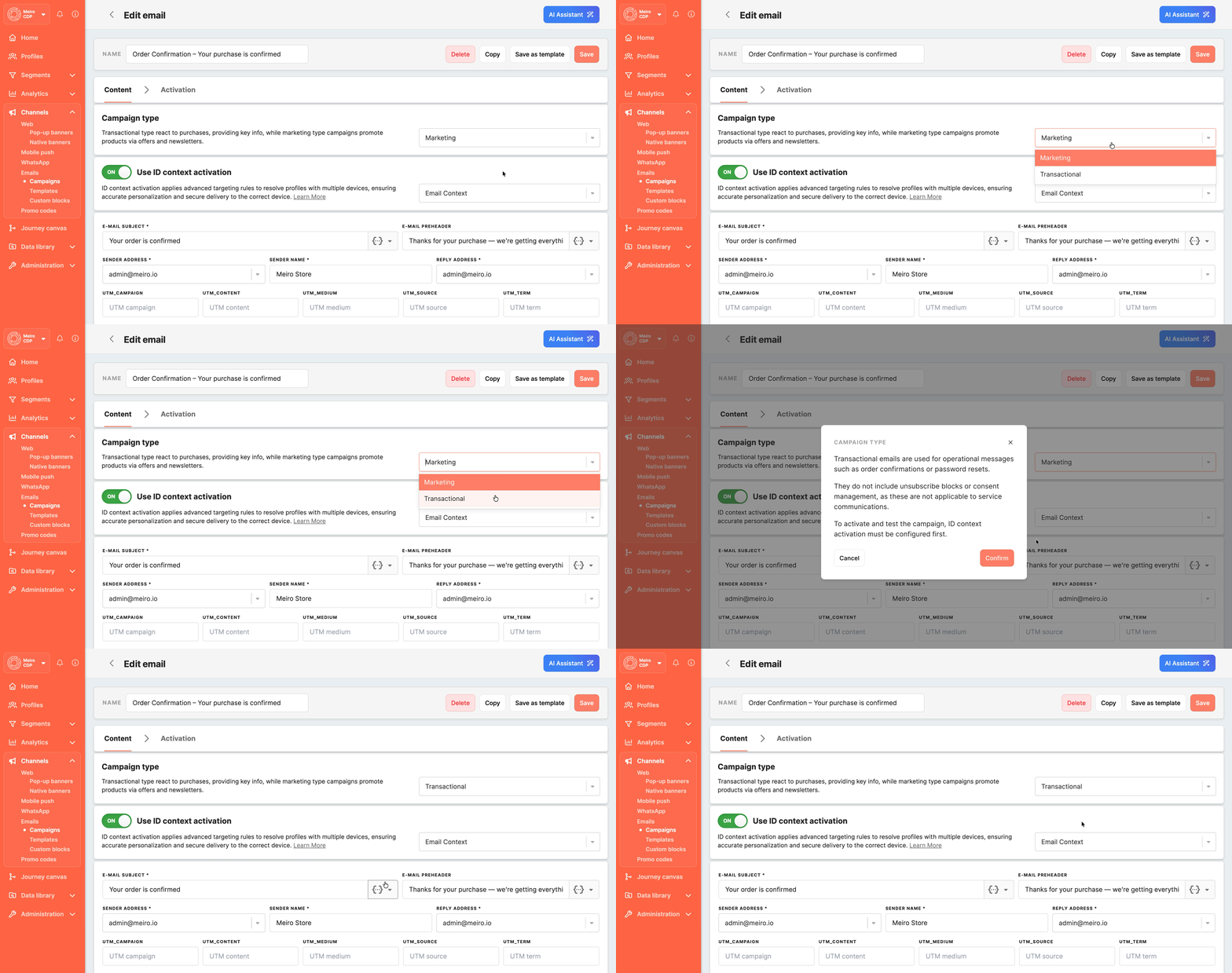
In this example, the campaign is configured as transactional and ID context activation is enabled by selecting the appropriate ID context attribute.
Incomplete transactional configuration
You can create and edit a transactional email campaign without selecting an ID context activation attribute. However, the campaign cannot be activated until this configuration is completed.
Example: transactional email without selected ID context attribute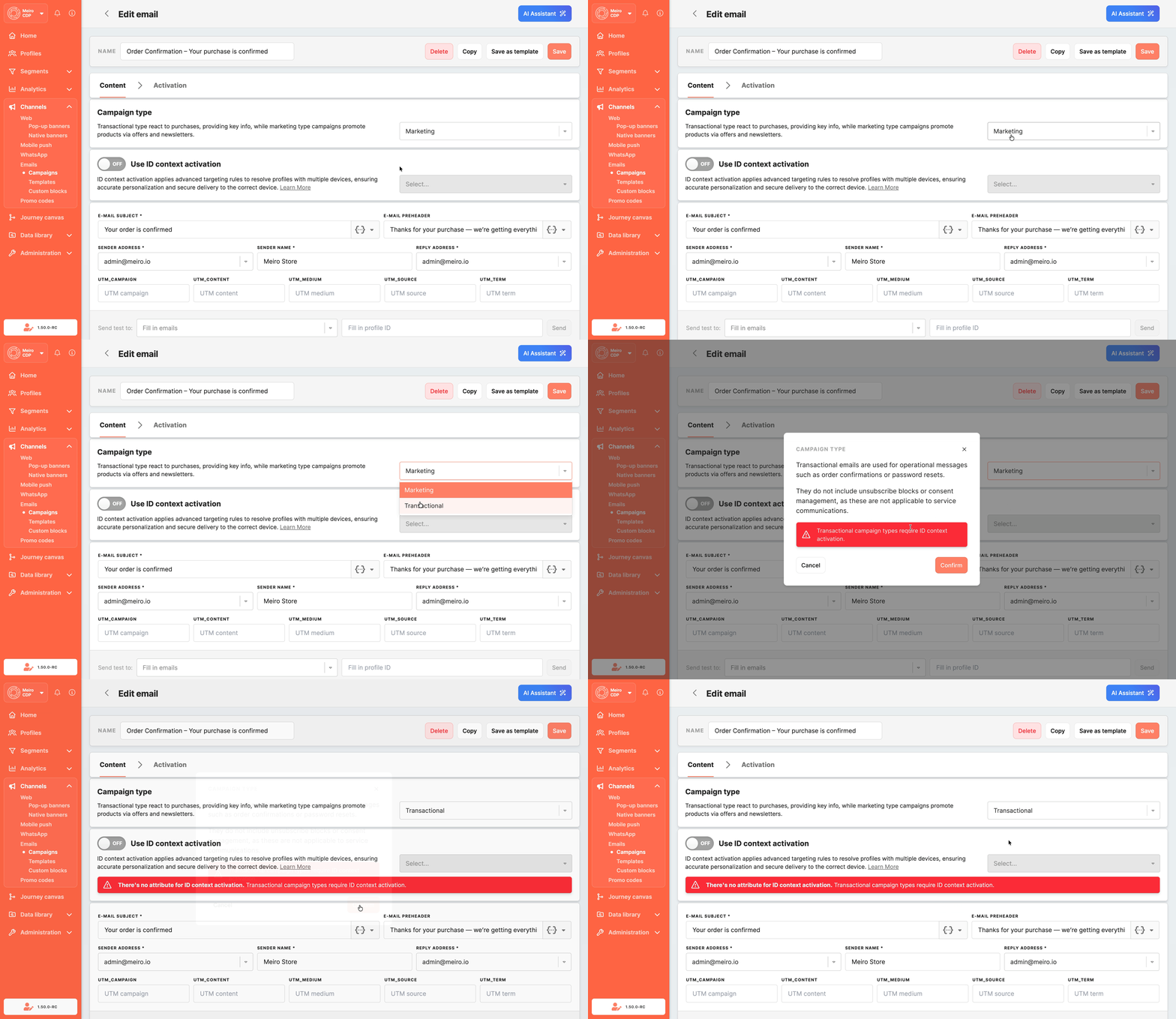
If Use ID context activation is not enabled, or no attribute is selected, you can still continue working on the campaign content. Before testing or sending the campaign, however, you must enable Use ID context activation and choose the attribute that contains the recipient’s email address.
Learn more: Email personalization with ID context attributes
How to choose the right campaign type
A simple way to decide is to ask what the email is meant to do.
Choose Marketing if the email is intended to promote, engage, or encourage action as part of marketing communication.
Choose Transactional if the email is intended to provide important information that the recipient needs because of an order, request, account action, or other service event.
If the message contains critical operational information, it should usually be created as Transactional. If the message is promotional in nature, it should be created as Marketing.
Learn more: Email campaign creation: step-by-step
No Comments