
Releases in March, 2026
Major Features
Transactional Messaging for Email & WhatsApp
v1.50.0
You can now create transactional campaigns for both Email and WhatsApp.
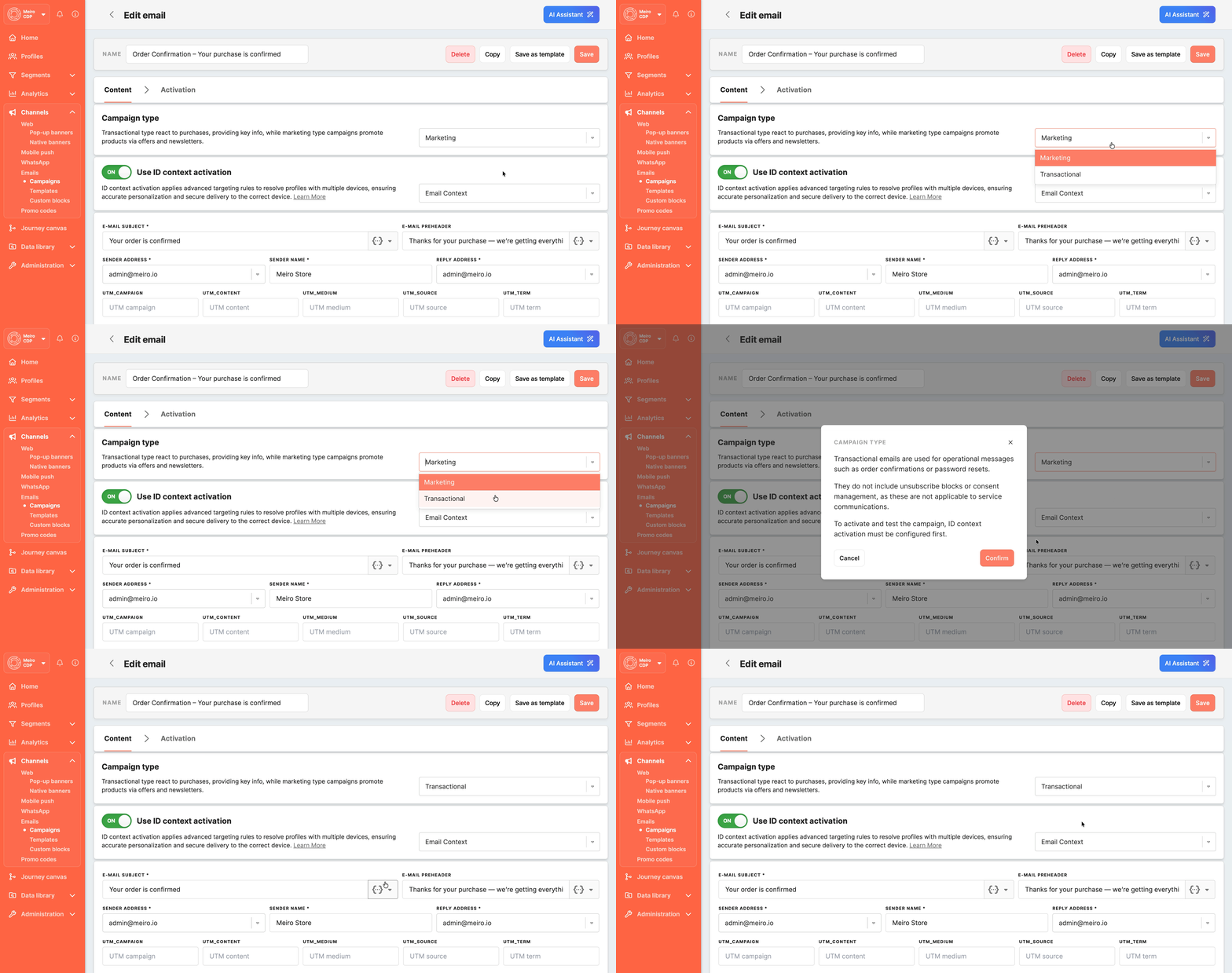
This makes it possible to separate essential service communication from regular marketing communication while managing both in the same platform. Transactional campaigns are intended for messages such as order confirmations, shipping updates, reminders, account notifications, OTPs, and other important operational communication where timely delivery matters.
A key part of this update is ID Context Activation. Transactional campaigns are activated using the selected identifier, such as a specific email address or phone number, helping ensure that the message is delivered to the correct contact value.
Transactional communication is also handled differently from marketing communication. These messages are not restricted by the same marketing rules, such as consent-based promotional delivery or global frequency caps, because their purpose is to deliver critical information rather than promotional content. For email campaigns, transactional messages also do not require an unsubscribe block, helping keep the content focused on the information the recipient needs.
This update helps teams deliver important service messages more reliably while keeping operational and promotional communication clearly separated.
Email campaign types
Learn how Marketing and Transactional campaign types differ, when to use each one, and how transactional delivery works in practice.
→ Read the article
Transactional messaging activation
Step-by-step guidance for configuring transactional campaigns with the correct ID Context attribute for delivery.
→ Read the article
Improvements
Copy Journey Canvas
v1.50.0
You can now create a copy of an existing Journey Canvas and use it as the starting point for a new journey.
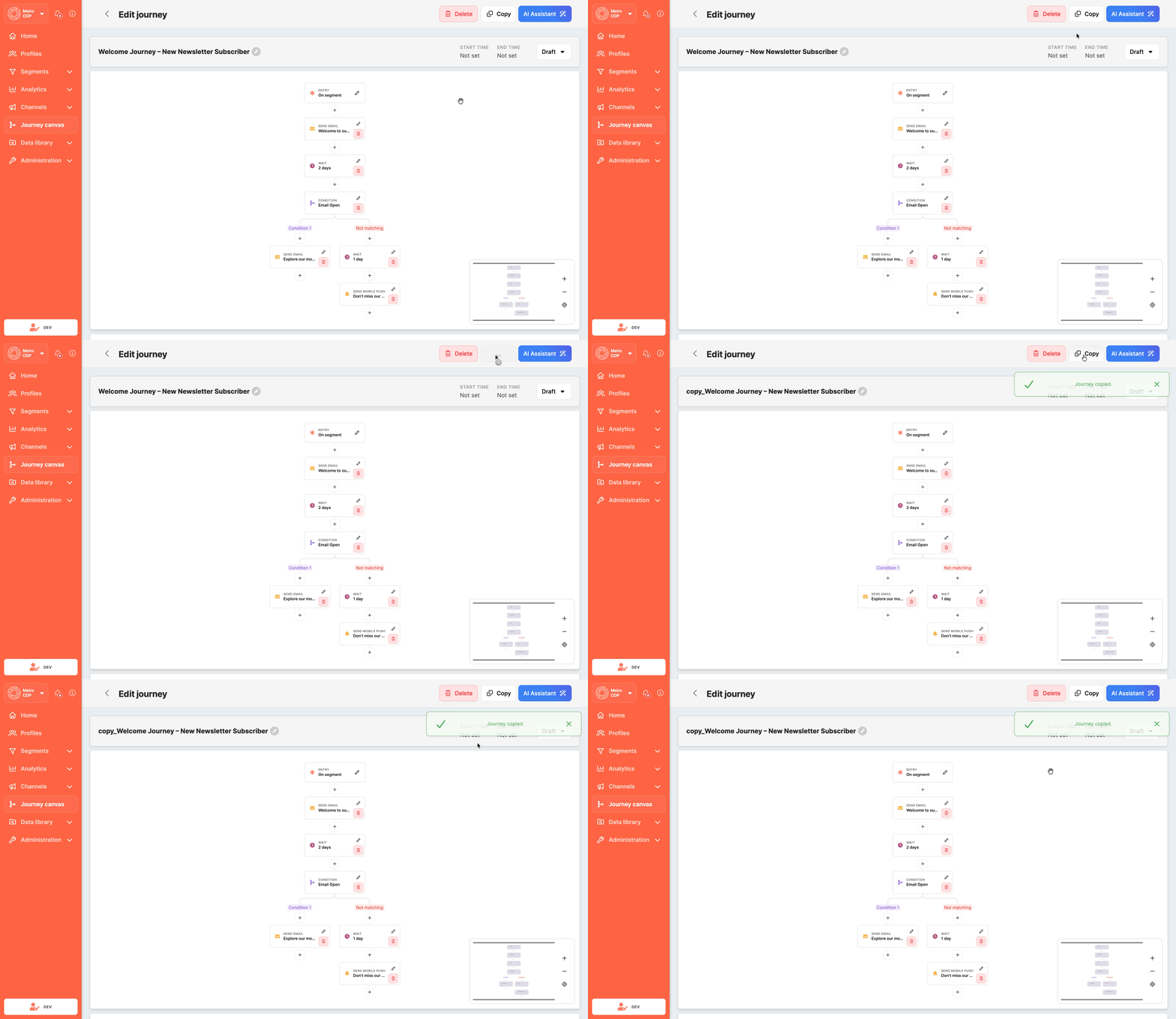
When a journey is copied, the new version keeps the structure and configuration of the original journey. This includes the entry setup, campaign nodes, wait steps, conditions, A/B splits, webhooks, and destination exports.
This makes it easier to reuse proven journey setups instead of rebuilding them manually. It is especially useful when preparing a variation of an existing journey for another audience, region, or use case, or when creating a test version without changing the original flow.
By making journeys easier to reuse, this update helps reduce repetitive setup, save time, and keep journey configuration more consistent across teams and campaigns.
Journey Canvas creation
Learn how to create, configure, and manage journeys, including how to reuse an existing one as the starting point for a new flow.
→ Read the article
Journey Performance Insights
v1.51.0
Campaign events now include Journey information, making it easier to understand how messages and interactions relate to a specific journey.
This additional context is included across campaign-related events such as sent, delivered, opened, clicked, seen, and unsubscribed events. When a campaign is activated through Journey Canvas, the corresponding journey information is included in the event data. When a campaign is sent outside of Journey Canvas, the journey field is still present and is clearly marked as null.
This improves visibility into journey performance and makes reporting more reliable. Because journey information is now included directly in the event payload, you can more easily analyze journey-based performance in reporting tools, compare journeys across channels, and understand how different journeys contribute to engagement and delivery outcomes.
This is especially useful for teams that want clearer analytics across Email, WhatsApp, and Mobile Push, without needing to reconstruct journey context separately during analysis.
New Universal Event Collection Endpoint
v1.49.1
A new universal event ingestion endpoint has been introduced in Meiro Events to simplify integrations and make data collection more flexible.
The new /collect endpoint allows external systems to send events to the platform without requiring a dedicated integration endpoint. Events can be submitted via GET or POST requests, enabling faster, easier connection to new services and data sources.
Once received, events are ingested through Meiro Events and can be stored in Meiro CDP, where they can be used for further processing, segmentation, analytics, and activations.
Why this matters
-
Simplifies integration with external tools and services
-
Enables faster onboarding of new data sources
-
Provides a flexible way to collect event data without additional development work
Other Fixes
-
Fixed an issue where the Save Parameter button in the Segment Export configuration could be hidden in the UI, ensuring it is now always visible and accessible when setting up segment exports.
v1.49.1 - Fixed issues with pasting and handling multiple values in campaign configuration and condition builder fields. Values such as emails, phone numbers, tokens, or other entries can now be pasted correctly, comma-separated values are properly split into multiple entries, and the copy button in the condition builder has been restored for easier reuse of values.
v1.49.1
No Comments